Renaissance Technical: Designing with AI
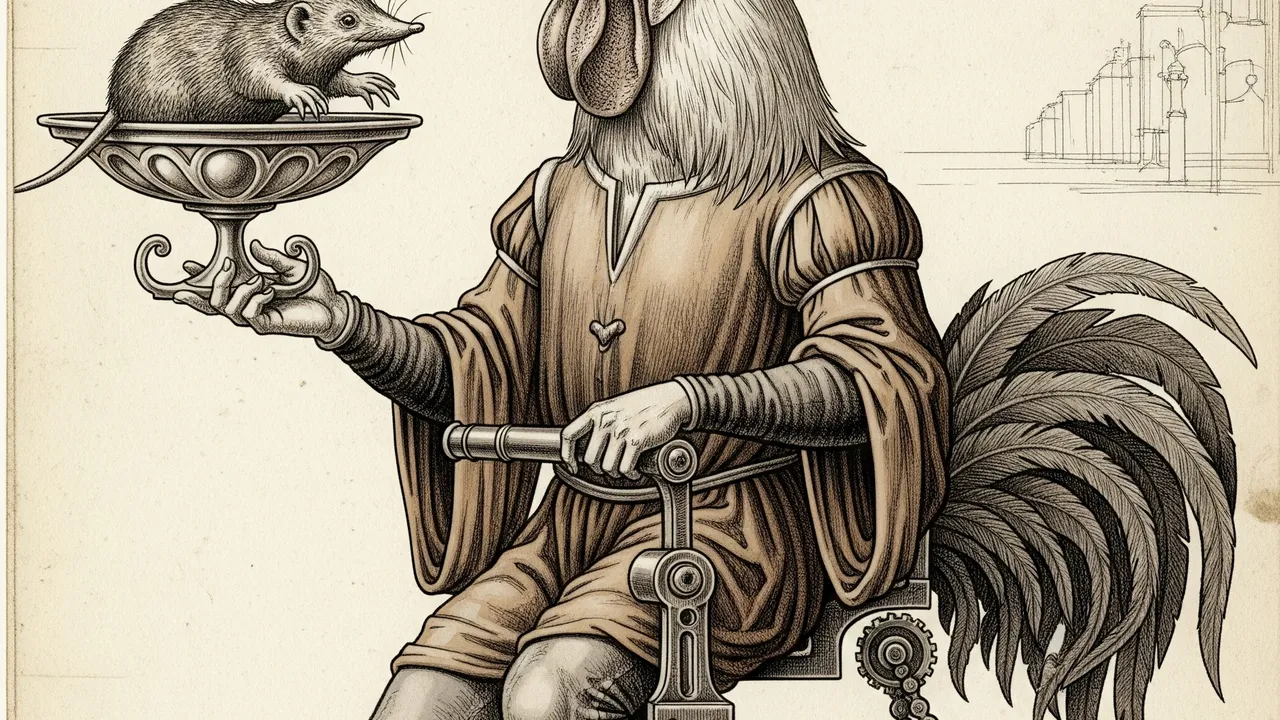
I recently pushed a major update to this website’s design system, dubbing it “Renaissance Technical.”
While I enjoyed my previous design, I felt the itch to switch things up and explore a new creative direction. I wanted to build something that felt less like a standard portfolio and more like a personal expression of my background.
In college, I studied Art, and I was always drawn to the Renaissance period. There was no distinction then between the artist and the engineer. Da Vinci didn’t choose between painting and mechanics; he did both. I wanted a design that reflected that duality.
The Inspiration
I was heavily inspired by the work at AmpCode, specifically their fearless use of bold colors and whimsical artwork. They proved that technical content doesn’t have to look “technical.”
I wanted to move away from the outer space aesthetic and shooting star motifs of my previous design. I wanted something that felt like a sketchbook—a place where the organic (art) crashes into the engineered (code).
The Philosophy: Da Vinci’s Notebook
The core aesthetic is “Renaissance Technical”. It sits at the intersection of the biological and the mechanical.
- The Grid (The Engineer): Rigid layouts, schematic lines, and monospaced “FIG” annotations. This represents the structure of code.
- The Soul (The Artist): Serif typography (
Tenor Sans), organic circles, and deep, parchment-like textures. This represents the human element.
It’s a visual conflict between the “Square” (logic) and the “Circle” (emotion).
The Workflow: AI as Creative Partner
This redesign was an experiment in a new workflow using OpenCode and the Gemini family of models. I’ve found Gemini to be exceptionally strong in creativity, making it my go-to choice for writing, design, and coding.
1. Ideation (Gemini Pro)
I start by working with Gemini Pro to iterate on ideas. I often use prompts like, “As a group of designers, let’s explore ideas to…” allowing us to brainstorm without writing a single line of code.
We explore different vibes, get feedback, and refine concepts purely at the abstract level. This creates a sandbox where I can act as the Creative Director rather than the implementer.
2. The Plan (Gemini Pro)
Once we settle on a direction (in this case, “Renaissance Technical”), I use Gemini Pro to formalize it into a plan. The goal is to create concise, actionable tasks that can be executed in parallel. This turns a vague creative vision into a structured engineering roadmap.
3. Execution (Gemini Flash)
The actual building is handled by subagents powered by Gemini Flash. These agents take the tasks from the plan and execute them. Flash is incredibly fast and accurate—scoring highly on SWE-bench benchmarks—which allows it to handle the bulk of the implementation work efficiently while I maintain high-level oversight.
The Human in the Loop
This process reaffirmed something important: AI is the brush, not the painter.
The AI could generate the grid, but it couldn’t decide why the grid mattered. It couldn’t feel the nostalgia for my college art classes. It couldn’t make the decision to embrace the “Renaissance” aesthetic over a safer, more modern choice.
I acted as the conductor; the AI was the orchestra. And together, we brought this new vision to life, creating a design that I’m truly excited to share.